INTRODUCTION
In this article, I am explain How to Deploy ASP.NET Website on iis in our Local Machine.First open your asp.net web application in visual studio.
Now in the top we have options Build Click on that and under Build you will find Publish Website.
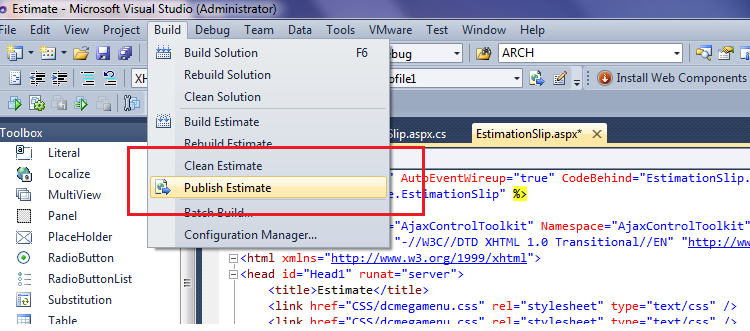
Click on Publish Website. now open publish web pop up.
Select Publish method is File System
Target location for save your web application dll file.
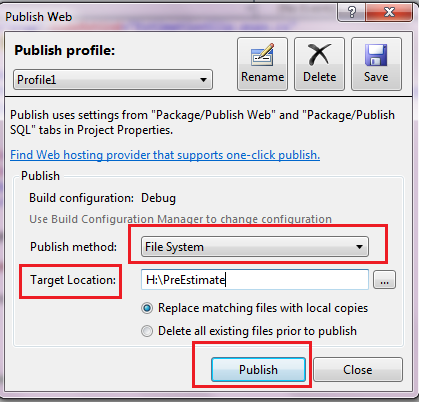
After click on publish.
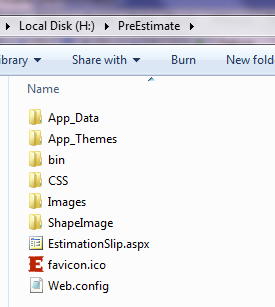
Go to target folder. that location you will see your web application dll file.
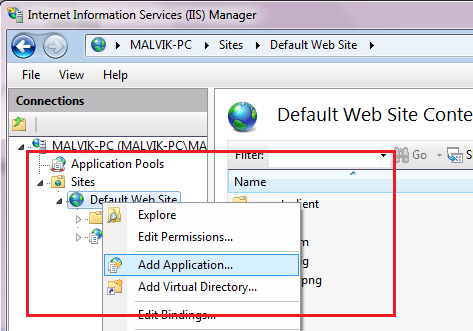
Now open iis manager.(type inetmgr in run command)
Right click on Default Application and Add Application.
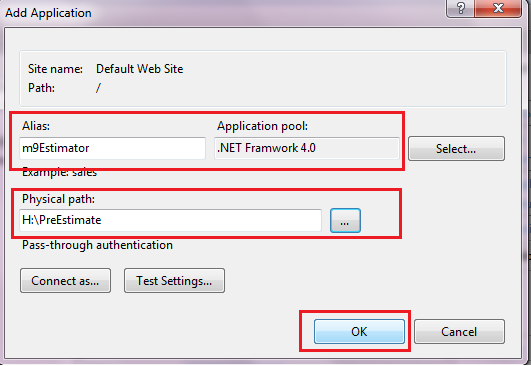
Enter Alis name , select Application pool and Physical path.
Now Double click on default document.
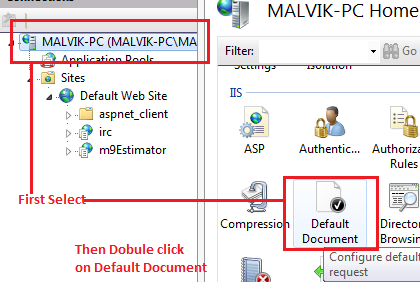
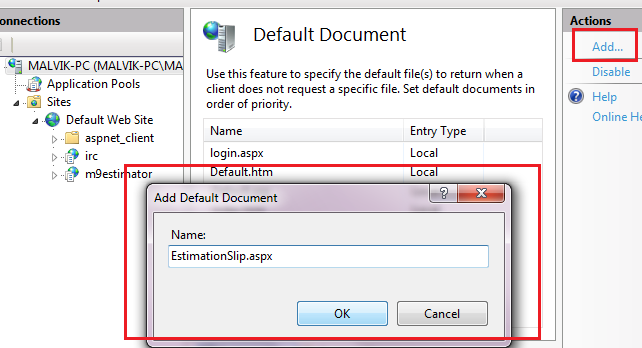
And add start page of your web application.here my application start page is EstimationSlip.aspx
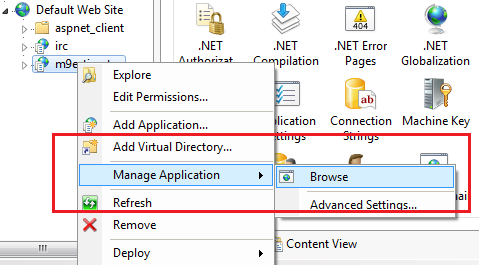
Now Right click on your application and browse.
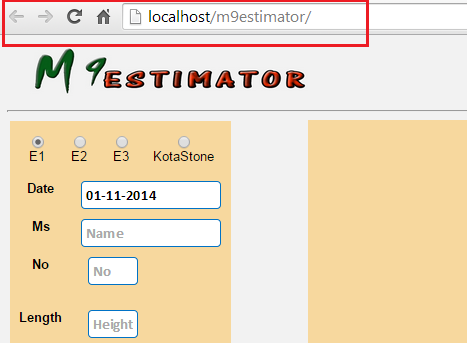
See your application without visual studio.
Enjoy..!!